Maintenance work orders: from the mobile report to the workshop
The driver inspects the vehicle from Dadycar Go, the anomaly is raised, the work order goes to your in-house service: up to -40 % of servicing time.
Hosted in the European Union · GDPR · Flotauto 2025 Innovation Award · free up to 50 vehicles, then €6 excl. VAT per vehicle per month
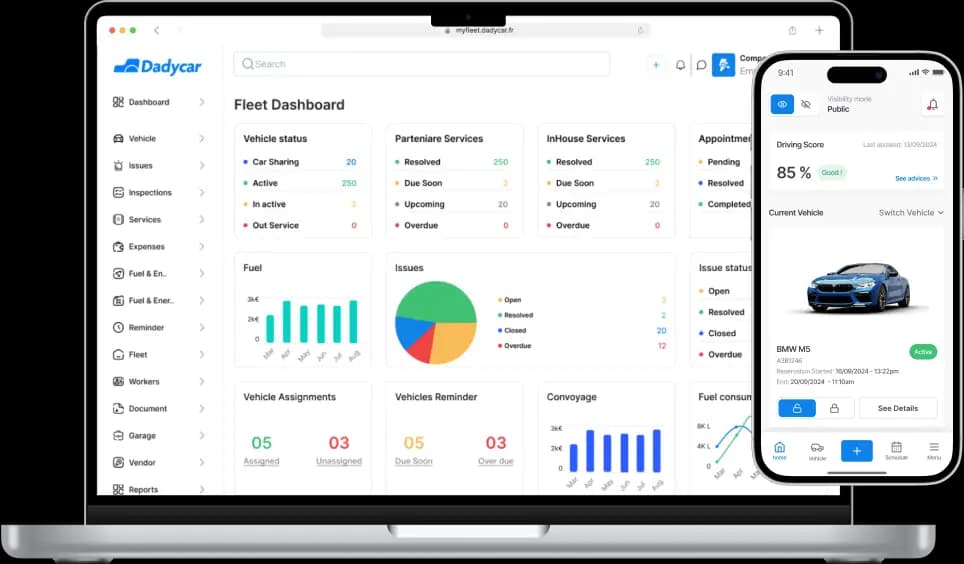
What mobile reporting changes
- Automatic inspection forms, for example a monthly check of 33 items.
- Up to -40 % of the time spent managing servicing.
- With no device: inspection and reporting rely on the app, telematics is added if you want it.
When the field does not write to the office
- The worn tyre is seen by the driver, never by the manager, until the puncture.
- The condition report is done on paper, gets lost, and the return dispute is settled with no proof.
- The work order is given verbally: nobody knows whether it was done, or when.
What you get with Dadycar
The principle: the driver submits an inspection from their phone, the software records every item checked, and the manager turns the fault into an intervention.
Inspections from Dadycar Go
The driver carries out the condition report or the periodic check from the app, at pick-up, at return or on a set date, with no paper and no re-entry at the office.
Automatic inspection forms
You define the items to check, the expected conditions and the vehicles concerned; submissions arrive in the inspection history.
Anomalies raised and prioritised
A fault found joins the Anomalies module with its level (high, medium, low), its deadline and its notification channel.
Work order to the in-house service
The manager creates the intervention for your workshop or your operators: vehicle, priority, status, dates and mileage. A partner garage from your directory can also receive it.
Inspection history per vehicle
Every submission stays available: who inspected, when, with which items compliant or not. Useful when returning a leased vehicle.
Off-the-road status in the dashboard
A vehicle under intervention appears as off the road in the maintenance tab, against the fleet availability target.
How it works
- 1Create your inspection forms. Items, conditions and vehicle scope; the form is triggered automatically according to the rule you choose.
- 2Your drivers inspect from Dadycar Go. The submission is time-stamped and attached to the vehicle and the driver.
- 3Turn the fault into an intervention. The anomaly becomes a work order in the Services module, tracked until the vehicle returns (intervention management).
Who it is for
- Maintenance and operations managers: work orders written down, dated and tracked (see the role page).
- Transport and logistics: a pre-departure check that leaves a trace (see the industry page).
- Corporate car sharing: a condition report at each pick-up and return (see the solution).
Your first inspection form, ready during the demo
A 30-minute demo on your own fleet: together we build the check form your drivers will fill in.
Your questions before getting started
- “My drivers will not fill anything in.” The form fits on a phone, is triggered automatically and only asks for the items you chose.
- “Do I need a device?” No. Inspections, anomalies and work orders work with the app alone; telematics adds the alerts coming from the vehicle.
- “How long does it take to start?” A form takes a few minutes to create; your drivers install Dadycar Go and receive their first inspection.